Chapter 8 Tutorial - Data Capture in Python
8.1 Getting Started
Before starting this section of the tutorial, we need to download the Fitbit API.
Navigate to https://github.com/orcasgit/python-fitbit and click the green 'clone or download' button. Then, click download zip, and open the zip file in the same folder that you are using within Anaconda.
Next, download python on to your computer at https://www.python.org/downloads/. Click on the yellow 'download' button, open the downloaded file, and follow the steps to install.
Lastly, open a new terminal, and run the following commands:
pip install cherrypy (you can also use the Anaconda navigator to install cherrypy)

pip install requests-oauthlib
8.2 Imports
This project requires multiple packages. If the steps in the previous sections have been followed, these import statements should run seamlessly.
#Import the necessary packages
import fitbit
import gather_keys_oauth2 as Oauth2
import pandas as pd
import datetime
import json
8.3 Authentication
Remembering back to the Fibit Technology section, we registered an app on the Fitbit Development site that will allow us to access our account data. When we completed the registration of the app, we were given a client id and client secret. These codes are unique to each individual app that is registered and are neccessary for the authentication process.
Use the following code gain access to your account:
CLIENT_ID = '22BLXS' #ENTER CLIENT ID CODE HERE
CLIENT_SECRET = 'a259368e5736a4171753dba8133f06d4' #ENTER CLIENT SECRET CODE HERE

server = Oauth2.OAuth2Server(CLIENT_ID, CLIENT_SECRET)
server.browser_authorize()
ACCESS_TOKEN = str(server.fitbit.client.session.token['access_token'])
REFRESH_TOKEN = str(server.fitbit.client.session.token['refresh_token'])
auth2_client = fitbit.Fitbit(CLIENT_ID, CLIENT_SECRET, oauth2=True, access_token=ACCESS_TOKEN,
refresh_token=REFRESH_TOKEN)
When the code above is run for the first time, you will be directed to a new browser with the following screen:

Select 'Allow All' and then 'Allow'. Your browser will then display the follow:
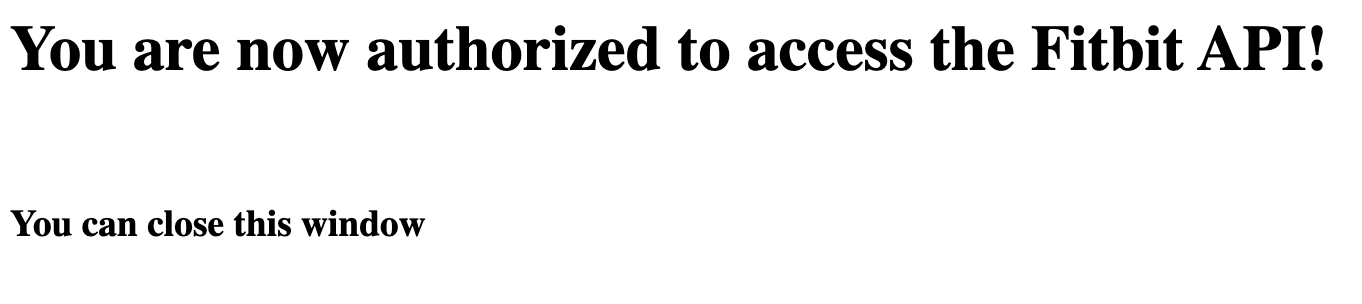
When you have reached this screen, the authentication is complete and you can now access your account data. According the fitbit documentation, you can access your data, by default, for 8 hours until you will have to reautheticate by running the authorization code above.
8.4 Accessing Data
Now that the authentication is complete, we can access our data.
To start, we need to delcare a date to collect data from. Let's use today's date:
today = str(datetime.datetime.now().strftime("%Y-%m-%d")) #todays dateNow we can view our 'activities' data for todays date.
activities = auth2_client.activities(date = today)Notice how the data is formatted in nested dictionary format, similar to json file format. Becuase of this format, we need to decompose the nested dictionaries to access our desired data.
For example, if we want to access the total distance traveled we can do the following:
activities = auth2_client.activities(date = today)['summary']
totalDistance = activities['distances'][0]['distance']
To access today's steps:
steps = activities['steps']The process is almost identical for accessing other types of data (i.e. sleep, heart, and weight data).
8.5 Processing Data
Because we are now familiar with the structure of of data, we can begin processing it!
To collect activities data:
#gets all Activities Data
def getActivities(myDate):
    activities = auth2_client.activities(date = myDate)['summary']

    totalDistance = activities['distances'][0]['distance']
    veryActiveDistance = activities['distances'][3]['distance']
    moderatleyActiveDistance = activities['distances'][4]['distance']
    lightlyActiveDistance = activities['distances'][5]['distance']
    veryActiveMinutes = activities['veryActiveMinutes']
    fairlyActiveMinutes = activities['fairlyActiveMinutes']
    lightlyActiveMinutes = activities['lightlyActiveMinutes']
    sedentaryMinutes = activities['sedentaryMinutes']
    floorsClimbed = activities['floors']
    daySteps =activities['steps']

    return totalDistance, veryActiveDistance, moderatleyActiveDistance, lightlyActiveDistance,   veryActiveMinutes, fairlyActiveMinutes, lightlyActiveMinutes, sedentaryMinutes, floorsClimbed, daySteps
To collect sleep data:
#gets all Sleep data
def getSleep(myDate):
    nightSleep = auth2_client.sleep(date = myDate)['sleep']

    sleepEfficiency = None
    minutesAsleep = None

    if len(nightSleep) != 0:
        sleepEfficiency = nightSleep[0]['efficiency']
        minutesAsleep = nightSleep[0]['minutesAsleep']

    return sleepEfficiency, minutesAsleep
To collect heart data:
#gets all Heart Data
def getHeart(myDate):
        heartRates = auth2_client.intraday_time_series('activities/heart', base_date=myDate, detail_level='1sec')['activities-heart'][0]['value']

        HRrange30to100 = None
        HRrange100to140 = None
        HRrange140to170 = None
        HRrange170to220 = None
        avgRestingHR = None

        if len(heartRates) == 3:
            HRrange30to100 = heartRates['heartRateZones'][0]['minutes']
            HRrange100to140 = heartRates['heartRateZones'][1]['minutes']
            HRrange140to170 = heartRates['heartRateZones'][2]['minutes']
            HRrange170to220 = heartRates['heartRateZones'][3]['minutes']
            avgRestingHR = heartRates['restingHeartRate']

        return HRrange30to100, HRrange100to140, HRrange140to170, HRrange170to220, avgRestingHR
To collect weight data:
#gets all Weight Data
def getWeight(myDate):
    grabWeight = auth2_client.get_bodyweight(base_date = myDate)['weight']
    weight = None
    BMI = None
    if len(grabWeight) > 0:
        weight = grabWeight[0]['weight']
        BMI = grabWeight[0]['bmi']

    return weight, BMI
Now that we have the functions to capture the data, we can process our data with a pandas data frame:
#creates empty data frame
biometricDF = pd.DataFrame(columns=["Date", "Steps", "Floors Climbed", "Total Miles", "Lightly Active Miles",
                                    "Moderately Active Miles", "Very Active Miles", "Sedentary Minutes",
                                    "Lightly Active Minutes", "Fairly Active Minutes", "Very Active Minutes",
                                    "HR 30-100 Minutes", "HR 100-140 Minutes", "HR 140-170 Minutes",
                                    "HR 170-220 Minutes", "Average Resting HR"])
Next, we will need a function to collect all the data togother and place it into a data frame:
#adds data to data frame
def getBiometricData(myDF, myDate):
    totalDistance, veryActiveDistance, moderatleyActiveDistance, lightlyActiveDistance, veryActiveMinutes, fairlyActiveMinutes, lightlyActiveMinutes, sedentaryMinutes, floorsClimbed, daySteps = getActivities(myDate)

    sleepEfficiency, minutesAsleep = getSleep(myDate)

    HRrange30to100, HRrange100to140, HRrange140to170, HRrange170to220, avgRestingHR = getHeart(myDate)
    weight, BMI = getWeight(myDate)

    todaysData = {"Date" : myDate, "Steps" : daySteps, "Floors Climbed" : floorsClimbed, "Total Miles": totalDistance, "Lightly Active Miles": lightlyActiveDistance, "Moderately Active Miles" : moderatleyActiveDistance, "Very Active Miles" : veryActiveDistance, "Sedentary Minutes": sedentaryMinutes, "Lightly Active Minutes": lightlyActiveMinutes, "Fairly Active Minutes" : fairlyActiveMinutes, "Very Active Minutes" : veryActiveMinutes,"HR 30-100 Minutes" : HRrange30to100, "HR 100-140 Minutes": HRrange100to140, "HR 140-170 Minutes" : HRrange140to170, "HR 170-220 Minutes" : HRrange170to220, "Average Resting HR": avgRestingHR, "Sleep Efficiency" : sleepEfficiency, "Weight" : weight, "Minutes Alseep" : minutesAsleep, "BMI" : BMI}

    biometricDF = myDF.append(todaysData, ignore_index=True)

    return biometricDF
And, finally, creating the database with todays data:
biometricDF = getBiometricData(biometricDF, today) #append to data frame8.6 Storing Data
This process can be replicated each day so data must be stored appropriately. To start, we can export our data frame to a csv file and save the files to a directory like this (I created a new folder named bioDates to store all my Data):
biometricDF.to_csv('./bioDates/' + today + '.csv')In the following chapters of this tutorial, we will learn how to concatenate the indiviudal daily csv files into one master file as well as storing the data into a a SQL database!