Chapter 5 Fitbit Technology
To begin the project, we will begin by discussing application programming interfaces (API). APIs are tools that allow developers to begin work easily. Often times, an API is a set of functions or methods that allow for replication of previously developed services. When released publicly, APIs allow for developers to gain access easily to features and data of large services.
The API that this walk-through works with is the Fitbit Web API. The API can be found at https://dev.fitbit.com/build/reference/web-api/basics/ and the accompanying documentation can be found at https://python-fitbit.readthedocs.io/en/latest/.
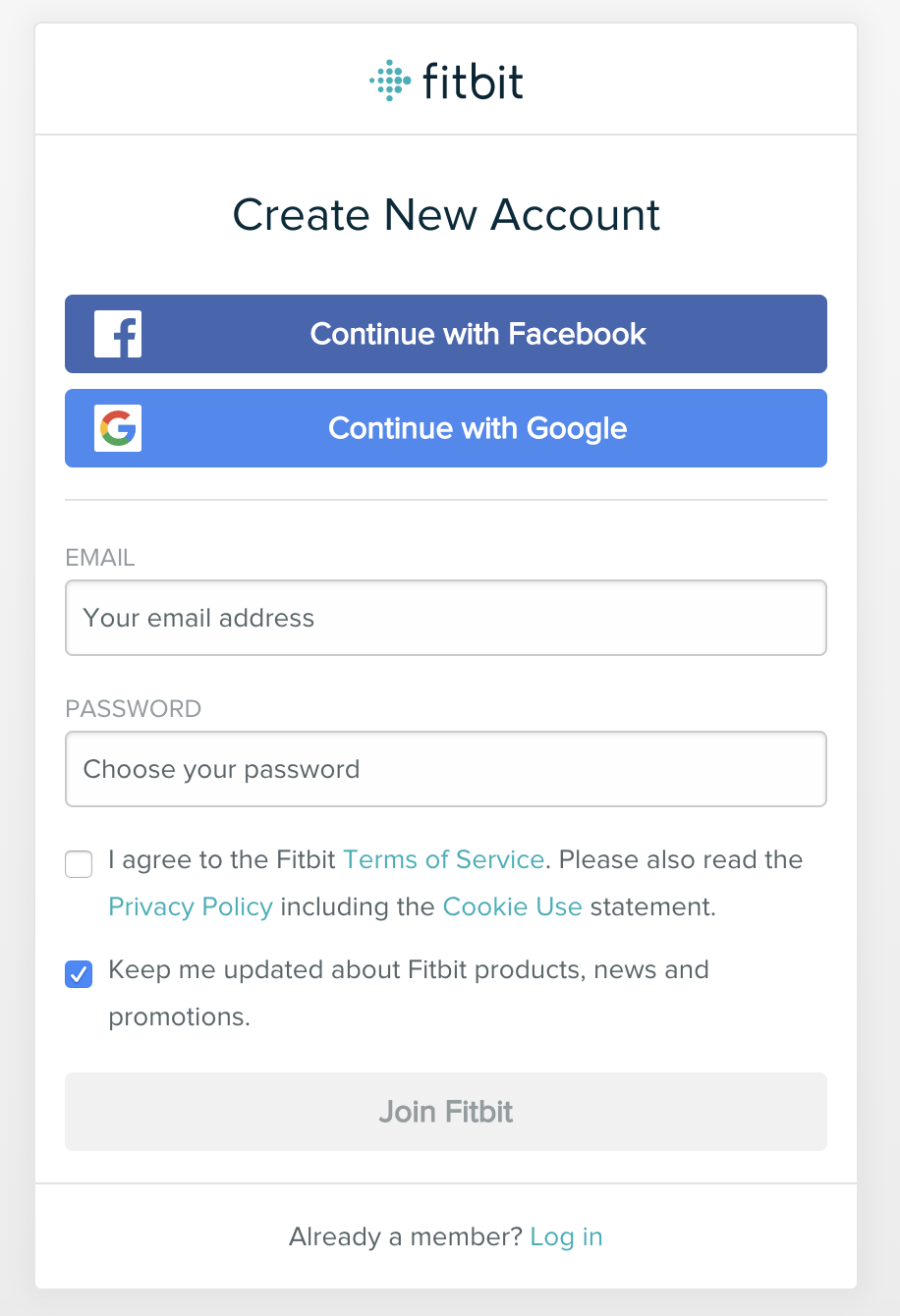
The first step to using the Fitbit API is to create a Fitbit account. Creating a new account can be found at https://accounts.fitbit.com/signup. You will be presented with the screen show below. Simply, enter an email and password of choice to create an account. You do not have to associate a Fitbit device to complete this tutorial. While no personal data will be collected due to lack of a device, the walk-through will still cover how properly use the API to access data. When data is necessary for later in the tutorial, dummy data will be provided.
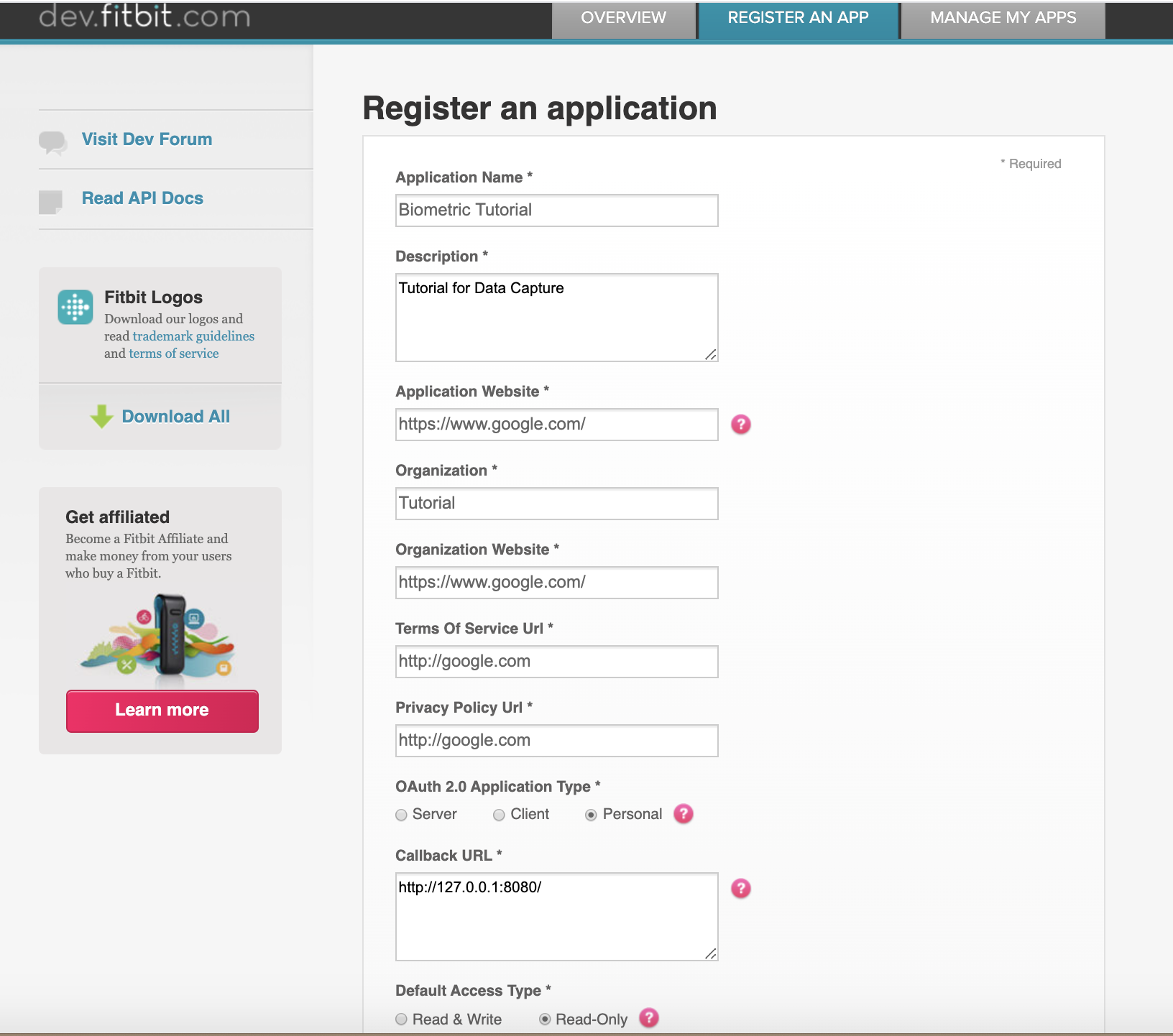
After registering your Fitbit account, proceed to https://dev.fitbit.com/login and login with the account credentials you just created. Click on ‘manage’ and ‘register an app’ in the navigation bar. You will then be presented with the screen show in figure 2. Fill out the necessary registration fields and click ‘register’ at the bottom of the page.
Now that an application is registered to your account, you can navigate to your apps. When clicking on the recently created app you will see a samilar display as in Figure 3.
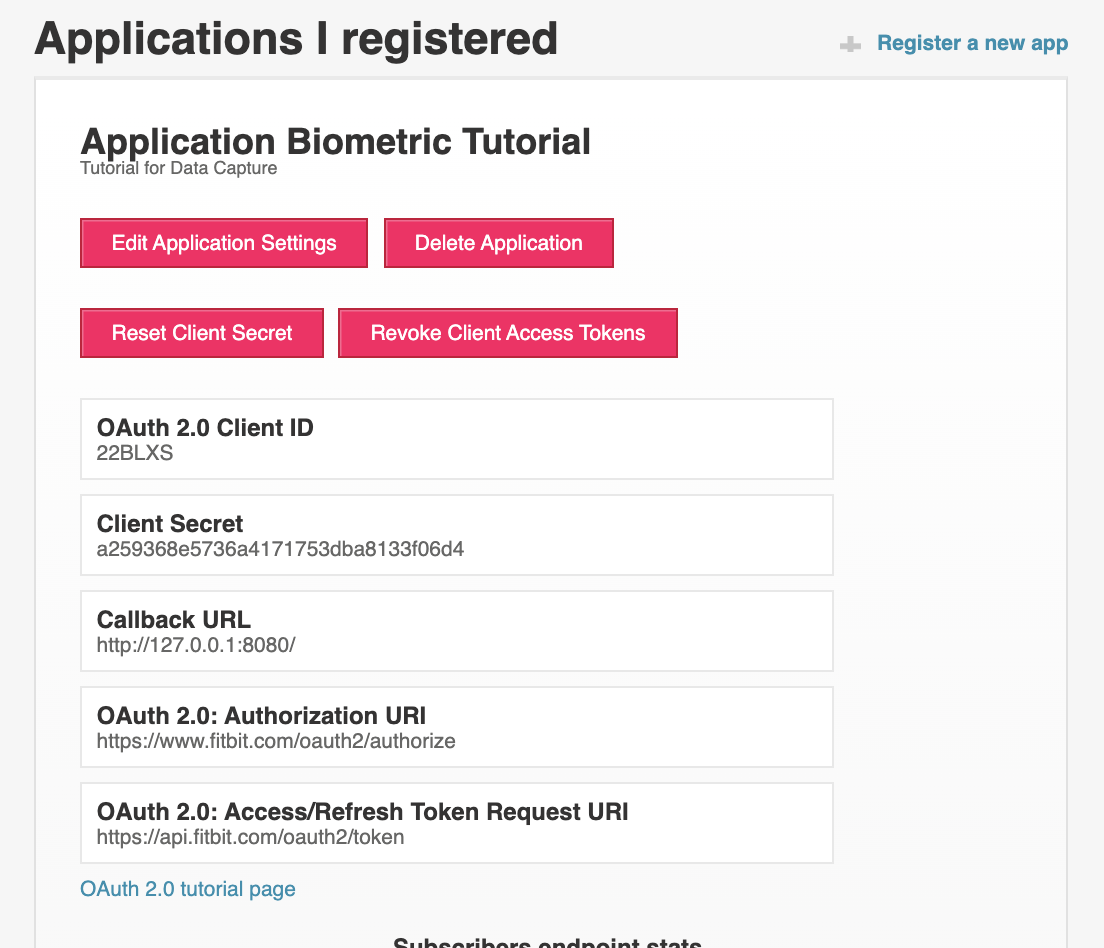
The creation and registration of this app with fitbit will be neccessary for the entirity of the tutorial. We will return to the information shown soon.